
I don’t know, although I have a feeling […]
Hello everyone!
Today we’re back after two months of intensive work on publishing the LLM Router. Here’s the earlier post: click.. A small project has turned into a sizable project, and its development—beyond just the coding side—has drawn in new contributors. In addition to Michała and Bartka, Krzysiek and Maciek. have joined the effort. We’re building a solid set of skills … 😉

In today’s post we explain how to configure the LLM Router using the models that are available under the Apache 2.0 license. A huge thank‑you goes to the Speakleash foundation, which, as part of its activities, has released two models that are perfect for use in the router. In this article we show how to plug in the models Bielik-11B-v2.3-Instruct “Bielik” and models Bielik-Guard-0.1B-v1.0 “Sójka” models so that they work together in the LLM Router. We also demonstrate an example of how 8 Bieliks and 5 Bielik-Guards can cooperate within a virtual ecosystem. 🙂
Eagles and jays in one nest
In nature the Eagle Bielik is a solitary predator that only pairs up during the breeding season. It does not allow foreign birds onto its territory. In the context of the jays the relationship is simple: predator – prey. However… that is “just” nature, and in the digital world we can do more.
Metaphor of the Natural Ecosystem
In the digital world the name eagles is taken by the language model Bielik-11B-v2.3-Instruct, while the jays is represented by Bielik-Guard-0.1B-v1.0, a guard‑rail type model. The nest is the LLM Router, which in its ecosystem imposes order and harmony, and the predator‑prey relationship disappears. On the contrary, these “species” start to form large flocks together, and unwanted wildlife is kept out.
In the conglomerate of Instruct and Guardrail models, supported by sensitive‑data masking techniques, we obtain an ideal solution for controlled use of generative language models. A locally‑run router lets you control the content sent to generative models. The “prey” from the natural world becomes the defender: the language model communicates with the application, while background masking mechanisms obscure sensitive data.
This conglomerate is exactly the solution described today in the LLM Router 😉
A few words about LLM Router
“The full description of LLM Router can be found on the home page llm-router.cloud and in the previous blog post.”
LLM Router is an on‑premises solution whose purpose is to control and optimise traffic to generative models. Unlike most routers, we do not optimise for API‑call cost; on the contrary, given a pool of providers (both local and cloud‑based) we aim to distribute the traffic so that response times are as short as possible.
During the whole process additional steps are performed, such as checking the outgoing content for ethical compliance and for the presence of sensitive data. Ethical correctness of the transmitted content is enforced by guard‑rail mechanisms: when an incident is detected the conversation/message is automatically blocked, an audit record is created, no payload is sent to the generative model, and the application receives a notification that the content has been blocked and the dialogue cannot continue.
Masking mechanisms run in the background and are responsible for obscuring sensitive information before it reaches the generative model. This mechanism does not block the message; instead it replaces the payload on‑the‑fly with a masked version, logs an audit entry for the detected incident, and forwards the masked message to the generative model.
All of this is configurable via the appropriate settings of the launched router.
Eagles and jays in LLM Router
To enable the aforementioned ecosystem to operate correctly, we must properly prepare this environment. For this purpose we need several components:
- llm-router – the core traffic‑coordination ecosystem (a detailed description is available on gitgubie end www);
- llm-router-services – services in which guardrail‑type models are run (example with Bielik-Guard);
- model Bielik-11B-v2.3-Instruct – a Polish generative model;
- model Bielik-Guard-0.1B-v1.0 – a guardrail model operating on Polish‑language texts;
Next, the individual components simply need to be assembled in one place – the LLM Router configuration. To keep this entry from becoming too long, we have uploaded all configurations to GitHub: [click], where we also placed a complete description of all steps. In short, however:
- Start the serwice with guard (five “jays” simultaneously monitor the content);
- Launch Bielik on vLLM (8 providers with the same model), on GPUs cuda:0, cuda:1, cuda:2;
- Configure and start the LLM Router;
In the provided example we initiated the process of auditing and blocking prohibited content, as well as auditing and masking sensitive data using the built‑in fast_masker mechanism (description of the masking rules and their implementations in the router plugins).
Overview of the ecosystem
Below are screenshots of nvitopa running on each host, along with a view of the API console.
Host Lab2 with three “Bielik” models running (in vLLM)
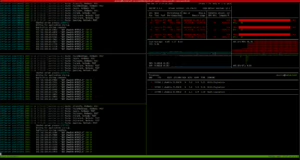
Host Lab3 also has three “Bielik” (vLLM) models running.
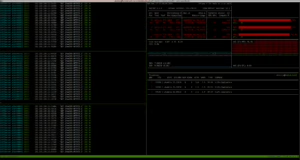
Host Lab4 with two “Bielik” models (vLLM)
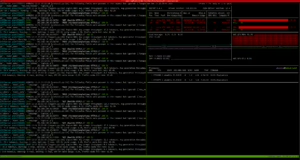
Host with router API (4 gunicorn workers, 16 threads each) and five “Sójki” (5 gunicorn workers on cuda:0)
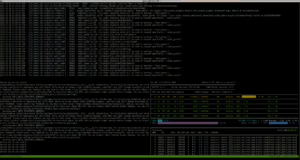
The environment configured this way is ready to handle dozens of requests 🙂 For performance testing we prepared a simple application whose job is to translate a given text into Polish. For this we used the built‑in endpoint from llm‑router /api/translateand the dataset to translate, which is marmikpandya/mental-health available on Hugging Face. To run the test we used the run-text-translator.sh script from the utilsami repository; after installing the library the CLI commandtranslate-texts becomes available.
See: translate-texts –help
$ translate-texts --help
usage: translate-texts [-h] --llm-router-host LLM_ROUTER_HOST --model MODEL --dataset-path DATASET_PATH [--dataset-type {json,jsonl}] [--accept-field ACCEPT_FIELD] [--num-workers NUM_WORKERS] [--batch-size BATCH_SIZE]

options:
  -h, --help            show this help message and exit
  --llm-router-host LLM_ROUTER_HOST
                        Base URL of the LLM router service (e.g., http://localhost:port)
  --model MODEL         Model name to use for translation (e.g., speakleash/Bielik-11B-v2.3-Instruct)
  --dataset-path DATASET_PATH
                        Path to a dataset file. This option can be provided multiple times to process several files.
  --dataset-type {json,jsonl}
                        Explicit type of dataset files (json or jsonl). If omitted, the type is inferred from each file's extension.
  --accept-field ACCEPT_FIELD
                        Name of a field to retain from each record. Can be supplied multiple times; if omitted all fields are kept.
  --num-workers NUM_WORKERS
                        Number of worker threads for parallel translation (default: 1 – runs sequentially).
  --batch-size BATCH_SIZE
                        How many texts to send in a single request to the router (default: 8).
In the video below we demonstrate the router’s operation together with the models mentioned earlier.
- First 0–3 seconds: a view of the API machine (top part) from the llm‑router, the lower‑left area shows the running service with the jays “Sójki”, and the lower‑right area displays an nvitop view of the GPU cores.
- Seconds 3–6: a view of the Lab4 machine with two eagles Bielik instances (vLLMs running on the left side, and a GPU‑utilization monitor on the right).
- Seconds 6–10: a view of the Lab3 machine with three eagles Bielik instances.
- Seconds 11–13: a similar view showing the load on the Lab2 machine (three Bielik instances).
- Subsequent seconds: switching between the machines, and the final segment returns to a view of the API machine.
During operation, the masking and prohibited‑content detection mechanism caught the cases it masked, blocked, and audited to a file (the logs contain entries like [AUDIT]************). The audited content is written to a dedicated directory (separate from the main logs) and encrypted with a GPG public key. The data can be decrypted only with the corresponding private key. In the video below we show how the logs (files with the .audit extension) are stored and how to decrypt them using the decryption script provided in the llm‑router repository (scripts/decrypt_auditor_logs.sh). Here is the result of running the command.
$ bash scripts/decrypt_auditor_logs.shwith an additional password set on the decryption key
Outro
In this way order has been restored in the virtual world. The “Sójki” guard the content sent to generative models, the “Bieliki” generate the output, the masking mechanisms hide sensitive information, and the auditors continuously monitor everything for security.
We certainly encourage you to download and test the solution! Everything is available under the Apache 2.0 license. Happy masking! 😉